Your YouTube channel, managed by your clone
Upload, organize and check in on your channel by just asking. Your clone handles the YouTube busywork.
Running a channel means much more than making videos. There are uploads, titles, descriptions, tags, playlists, captions and a steady stream of comments. The YouTube Operator lets your clone manage that work for you, so the time you used to spend in YouTube Studio goes back into your ideas.
Ask your clone to upload a video as unlisted, sort videos into playlists, reply to comments or tell you how last week's video did. Pair it with Automated Video and your clone can make the video and put it on your channel. One message, start to finish, and you never open YouTube Studio.
Just tell your clone: YouTube Operator
Type it the way you'd say it. Tap any line to copy it.
- Upload this video to my channel as unlisted, add it to my Tutorials playlist and draft the description.Copy
- How did my last three videos do compared to usual?Copy
- Reply to the new comments on yesterday's video.Copy
- Update the description on my Iceland video with these links.Copy
- Make a new playlist called Beginner Guides and add my first five tutorials.Copy
- Add captions to my latest upload.Copy
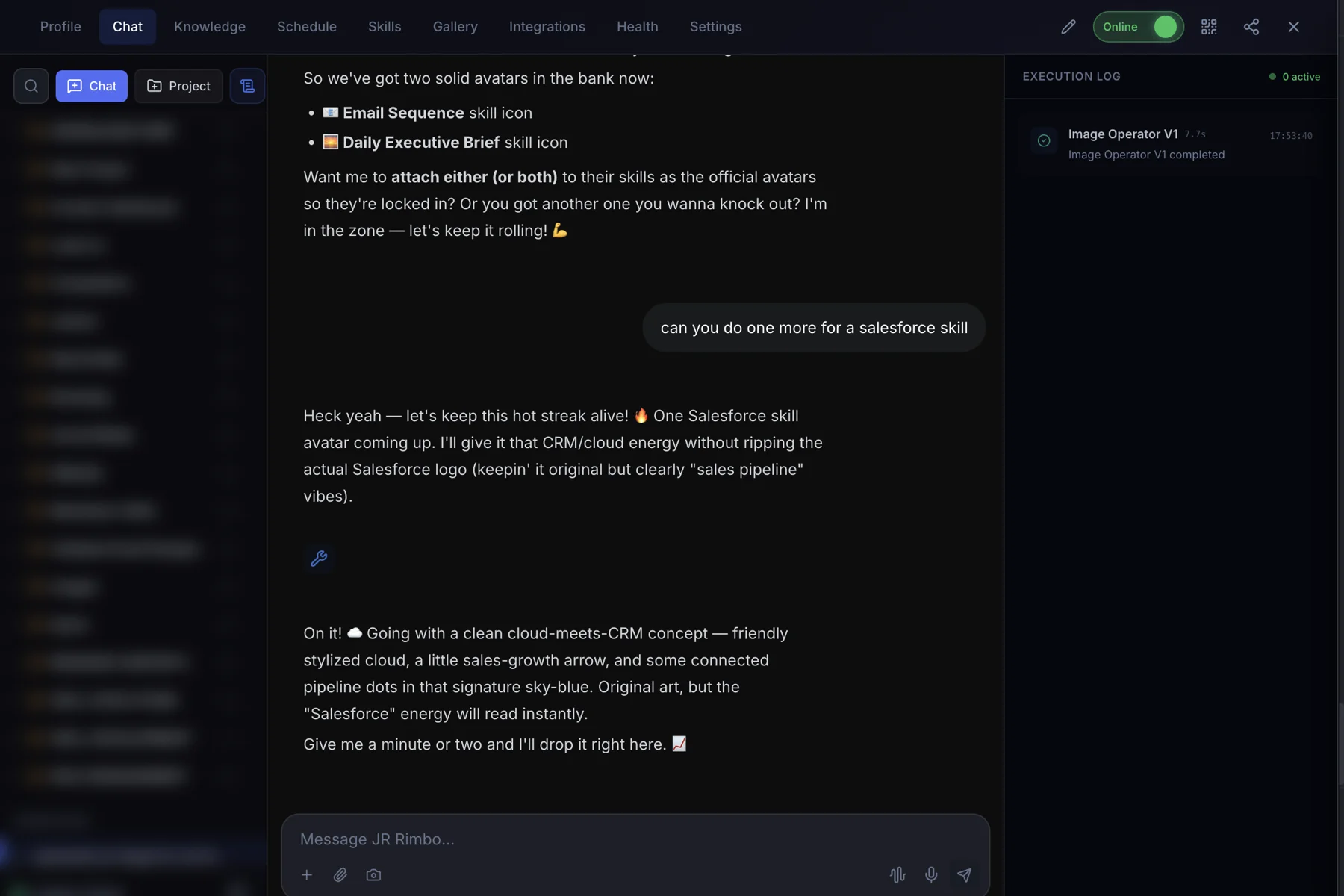
This is what it looks like.
- 1Open your clone's Chat tab. Every clone has one, right next to Knowledge, Schedule and Skills.
- 2Ask in plain words. “Upload this video to my channel as unlisted, add it to my Tutorials playlist and draft the description.”
- 3Watch YouTube Operator run. The Execution Log on the right shows each skill as it starts and finishes, then your result lands in the chat.
 123
123YouTube Operator: questions, answered.
Can my clone upload for me?
Yes. Connect your channel and your clone can upload videos, as public, unlisted or private.
Can it manage comments?
Yes. Your clone can read and reply to comments.
Does it post to TikTok or Instagram?
No. The YouTube Operator works with YouTube only.
Can it tell me how my channel is doing?
Yes. Ask for a performance report any time.
YouTube Operator for your team
Clone.org covers how businesses put this skill to work through a digital employee.