One product photo in, a cinematic clip out
Snap your product on the kitchen table. Your clone turns it into a hero shot, then a short cinematic video.
Great product footage usually means a studio, lights and a motion rig. Product Video gives you that look from a single photo. Your clone first enhances it into a clean, studio-grade hero image, then animates it into a short cinematic clip with the setting and mood you describe.
Use it for your shop listing, a launch post, a Reel or the top of your product page. Describe the vibe, like a slow turn on marble, a misty forest floor or a neon city street, and your clone builds the shot around your product. You get the enhanced still and the moving clip.
Just tell your clone: Product Video
Type it the way you'd say it. Tap any line to copy it.
- Turn this photo of my sneaker into a slow, cinematic shot on a wet city street at night.Copy
- Make my ceramic mug look like a luxury ad: soft light, steam rising, slow push in.Copy
- Put my perfume bottle on black sand with waves rolling in behind it.Copy
- Turn this phone photo of my necklace into a sparkly close-up on velvet.Copy
- Make a hero image and clip of my granola bag on a sunny breakfast table.Copy
- Give my skateboard a dramatic spin against a sunset sky.Copy
This is what it looks like.
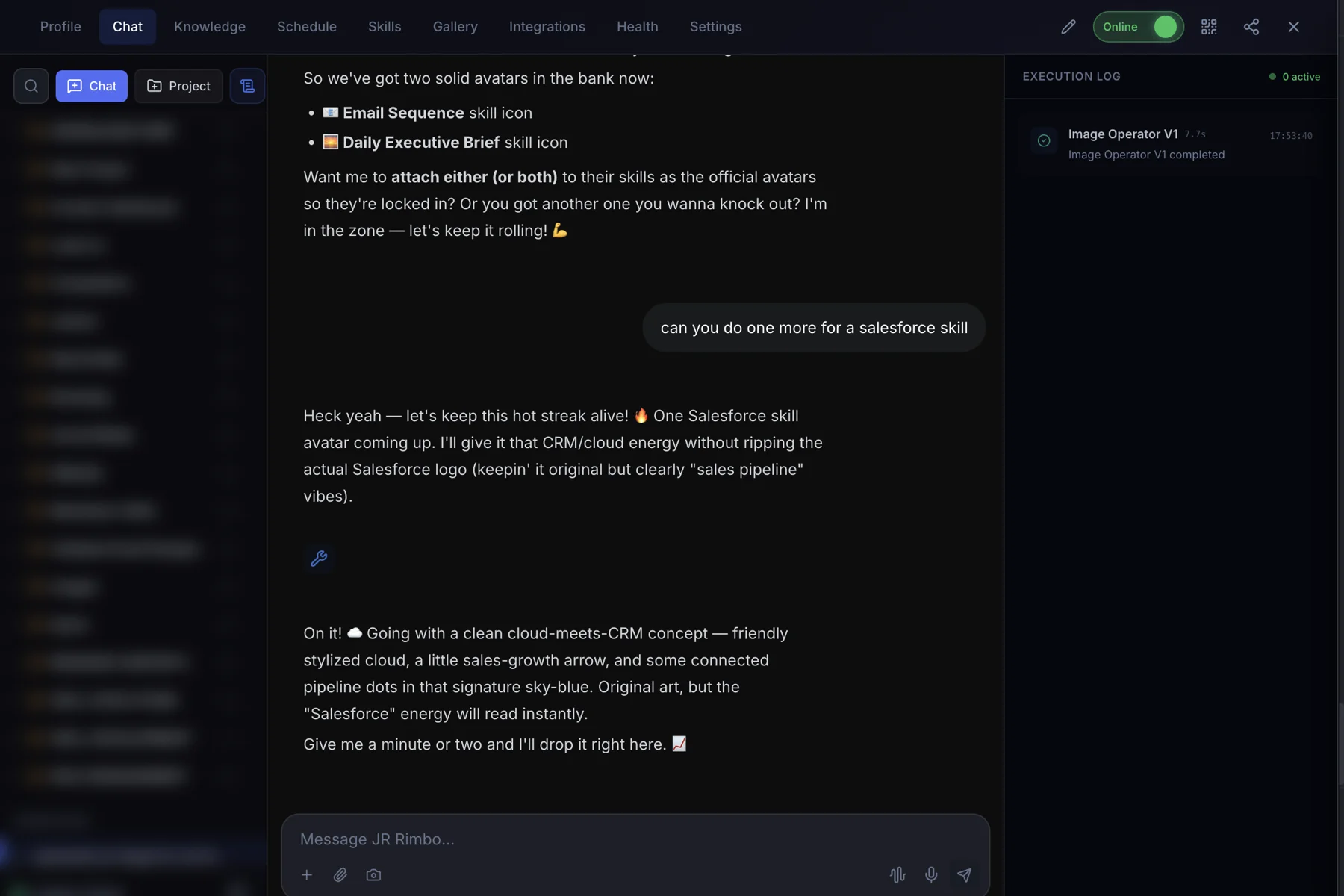
- 1Open your clone's Chat tab. Every clone has one, right next to Knowledge, Schedule and Skills.
- 2Ask in plain words. “Turn this photo of our sneaker into a slow, cinematic product shot on a wet city street.”
- 3Watch Product Video run. The Execution Log on the right shows each skill as it starts and finishes, then your result lands in the chat.
 123
123Product Video: questions, answered.
What photo should I send?
A clear photo of the product with the whole item in frame. Your clone cleans it up into a hero image before animating.
Do I get the still image too?
Yes. Product Video creates the enhanced hero image first, then the clip.
How long is the clip?
It's a short cinematic clip, made for listings, ads and social posts. For a longer piece, use Automated Video.
Can I pick the background?
Yes. Describe the setting and mood and your clone builds the scene around your product.
Product Video for your team
Clone.org covers how businesses put this skill to work through a digital employee.